
 OrbitPro
Many Google accounts. Ask once.
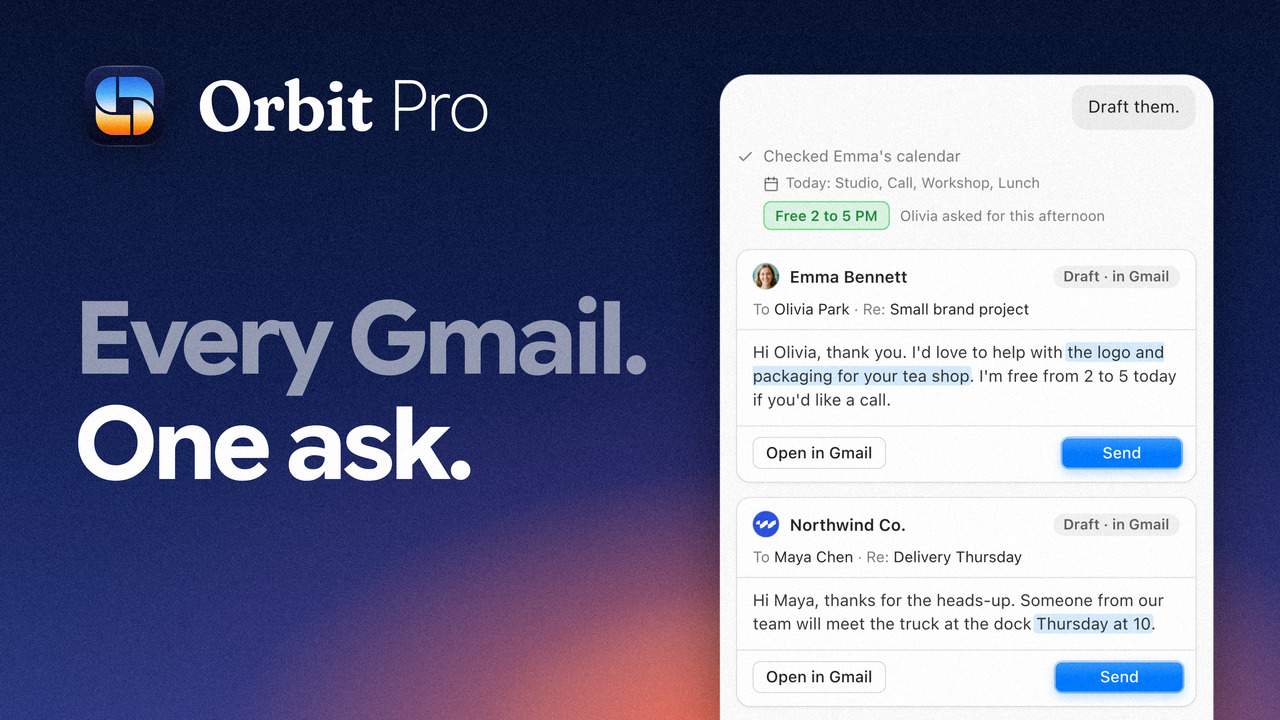
Orbit Pro drafts the replies on your Mac. You press Send. Join Orbit Pro $19/monthCancel anytimeNeeds an Apple silicon Mac with 16 GB of memory.
For consultants and anyone with more than one work inbox
In your fourth inbox, a client is still waiting.
Orbit Pro puts the replies you owe from every account in one list. Open one, and it drafts the reply the way you usually write to them.
How it works
-
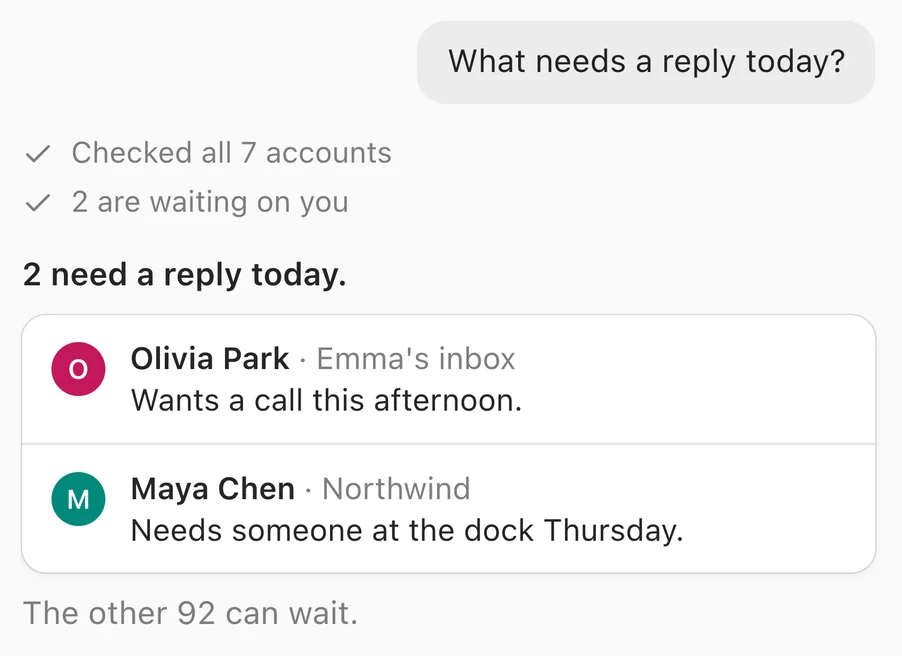
 01 Ask once
One question covers every account you’ve signed in to.
-
 02 It checks every inbox
Inside your own Gmail sessions, on your Mac.
-
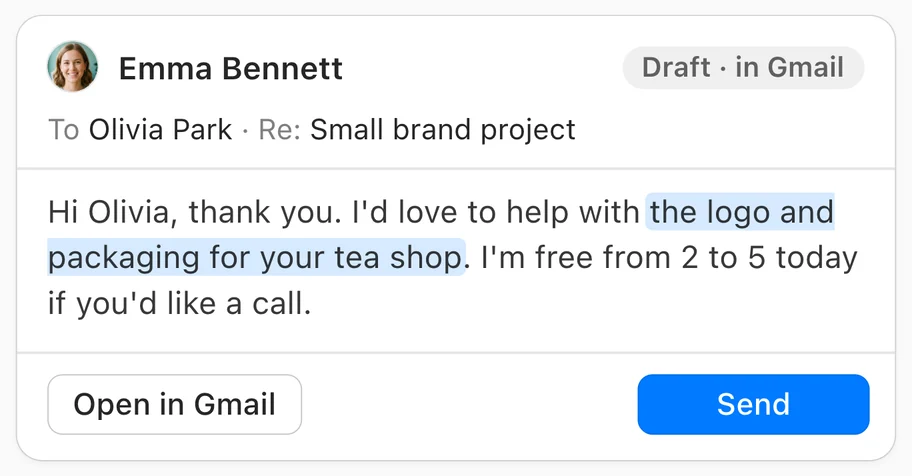 03 You press Send
Drafts wait in Gmail. Nothing sends without your click.
Things you can ask
- What needs a reply today?
- Draft a reply to Sam: Thursday works.
- Find the contract Dana sent last week.
Orbit Pro · powered by

Written the way you write to them
Orbit Pro looks at what you’ve already sent each person, on your Mac: how you greet them, how you sign off.
You type: Thursday works.
-
To Sam, a client for yearsExample
Hi Sam,
Thursday works. Talk then!
Alex
Used: how you greet and sign off to Sam
-
To Grace, a new clientExample
Hello Grace,
Thanks for reaching out. Thursday works for me.
Best,
Alex MorganUsed: how you usually write to people
Your mail stays between you and Google
-
The AI runs on your Mac
Your mail is not sent to us or to a cloud AI.
-
No Gmail access request
You sign in to Gmail the normal way, inside Orbit.
-
Nothing sends on its own
Orbit Pro writes drafts. You decide what goes out.
Orbit Pro
$19/month
Billed monthly. Cancel anytime from Orbit’s Settings.
Join Orbit ProFull refund within 30 days if Pro isn’t for you. Email support@orbitformac.com.
Now in beta.
Everything in Orbit, plus
- Every reply you owe, from every account, in one list
- Drafts written the way you write to each person
- AI included and running on your Mac, no API key
- Nothing sends without your click
Needs Apple silicon (M1 or later), 16 GB of memory, macOS 14 or later and about 9 GB of free disk. Questions: support@orbitformac.com
Before you join
Will it run on my Mac?
Orbit Pro runs its AI on your Mac, so it needs a Mac with Apple silicon (M1 or later), 16 GB of memory or more, macOS 14 or later and about 9 GB of free disk space for a one-time download of the AI engine. If your Mac can’t run it, email us and we’ll refund you in full.
When am I charged?
You pay $19 when you join, then $19 on the same day each month. Cancel anytime in Orbit under Settings, Orbit Pro, Manage billing.
What runs the AI?
Perigee™, the on-device AI engine we built for Orbit. Its rules handle the clear-cut mail first, then Gemma, Google’s open model, reads the rest and writes your drafts. All of it runs on your Mac.
I already own Orbit. What changes?
Nothing. Your Orbit license stays yours, with or without Pro.
Do I need to buy Orbit too?
No. Orbit Pro includes the app. If you cancel Pro, the app locks unless you also own Orbit, which you can buy once at any time and keep.
Do I need an API key?
No. AI is included, so you don't need an API key.
Can it send mail on its own?
No. It writes drafts and shows them to you. Sending and scheduling each wait for your click.
Which accounts does it work with?
The Gmail accounts you’ve signed in to in Orbit on your Mac. For the beta, Gmail needs to be set to English.